
Now you can easily modify your flight details through Garuda Indonesia website*.
*this feature is currently available for domestic flights and ticket purchased through www.garuda-indonesia.com or Garuda Indonesia Mobile App only.
*for international flights or ticket purchased not through Garuda Indonesia website/Garuda Indonesia Mobile App, schedule changes can be made through Garuda Indonesia 24-Hour Contact Center or Garuda Indonesia Sales Office.
Follow the steps below:
Website
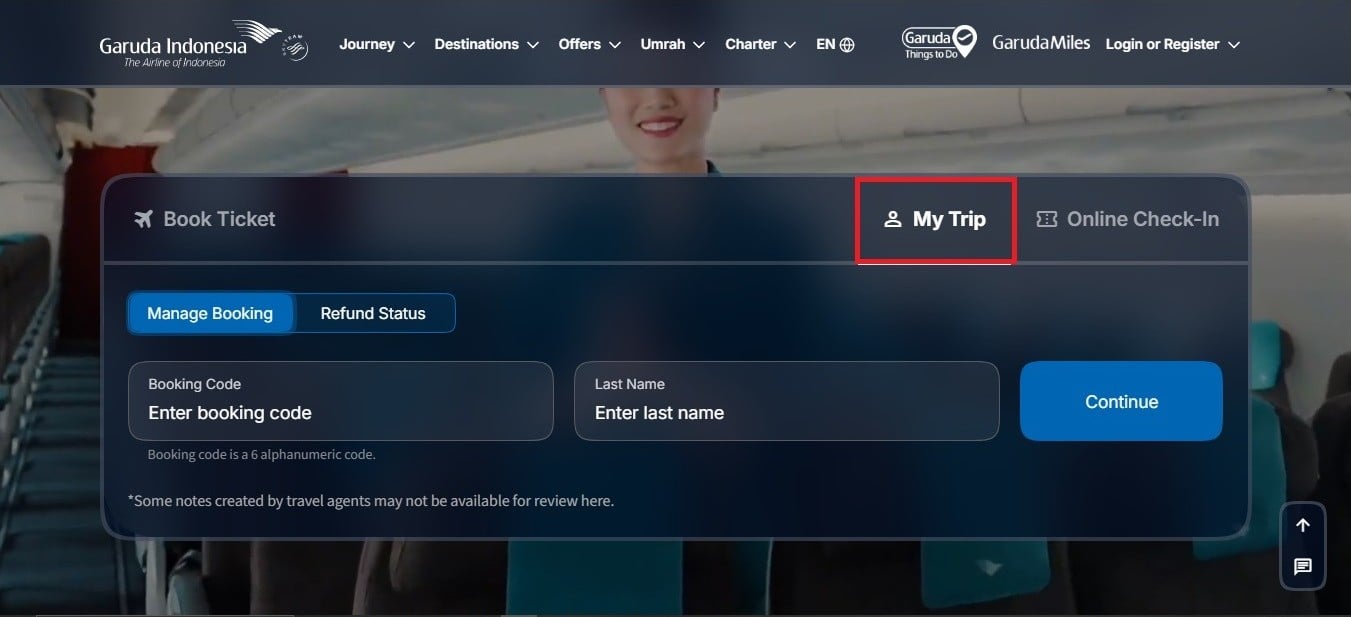
- Open the Garuda Indonesia website at www.garuda-indonesia.com, select the ‘My Trip’ menu, enter your booking code and last name, then click ‘Continue’.
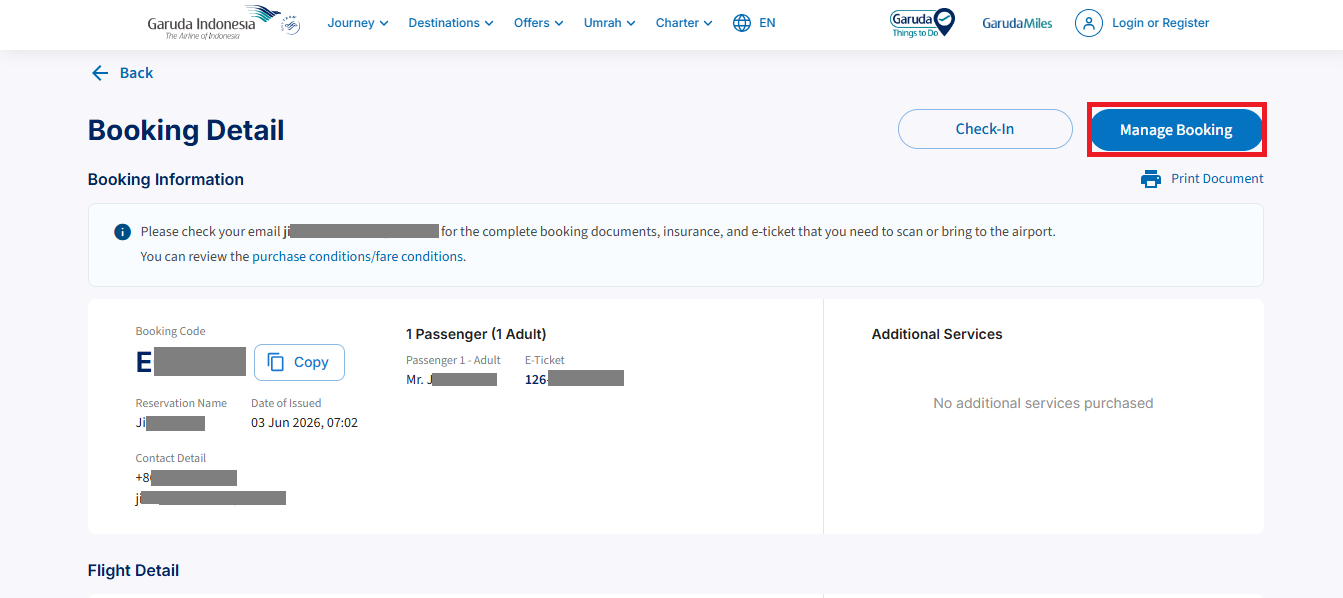
- You will be directed to the ‘Booking Details’ page. Click ‘Manage Booking’.
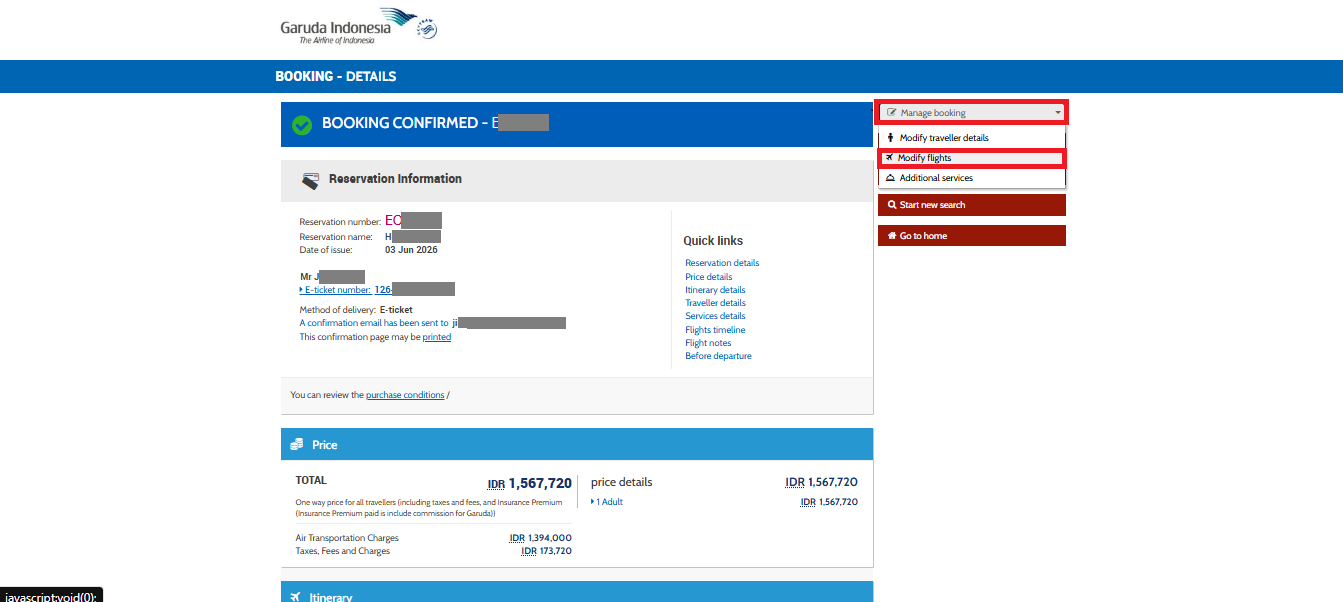
- You will be redirected to the booking confirmation page. Click ‘Modify Flight’ to change your flight schedule.
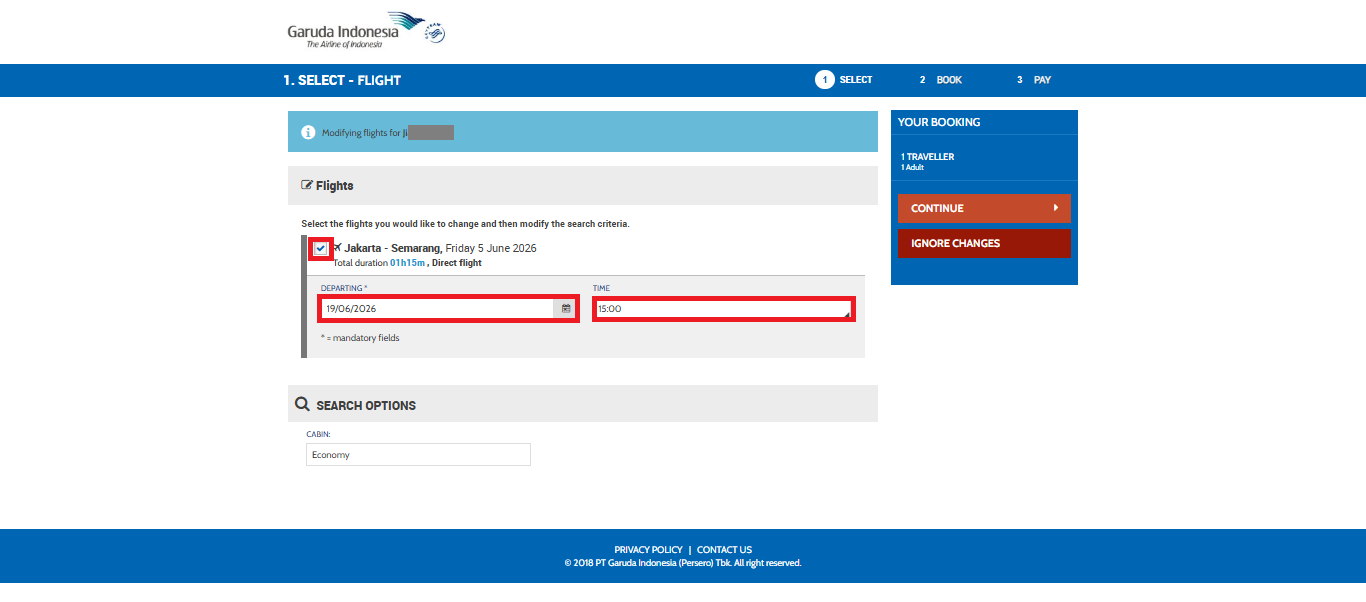
- Tick the flight you wish to modify, then enter your preferred new travel date and time, and click ‘Continue’.
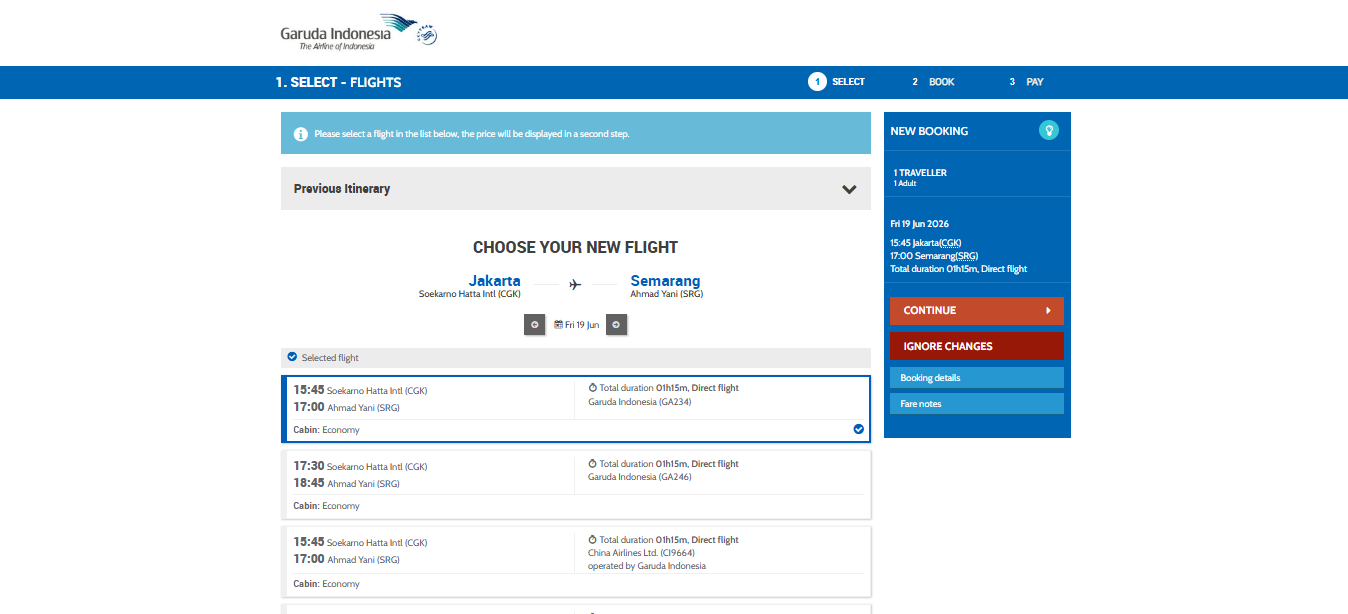
- Select your preferred flight based on the available schedule, then click ‘Continue’.
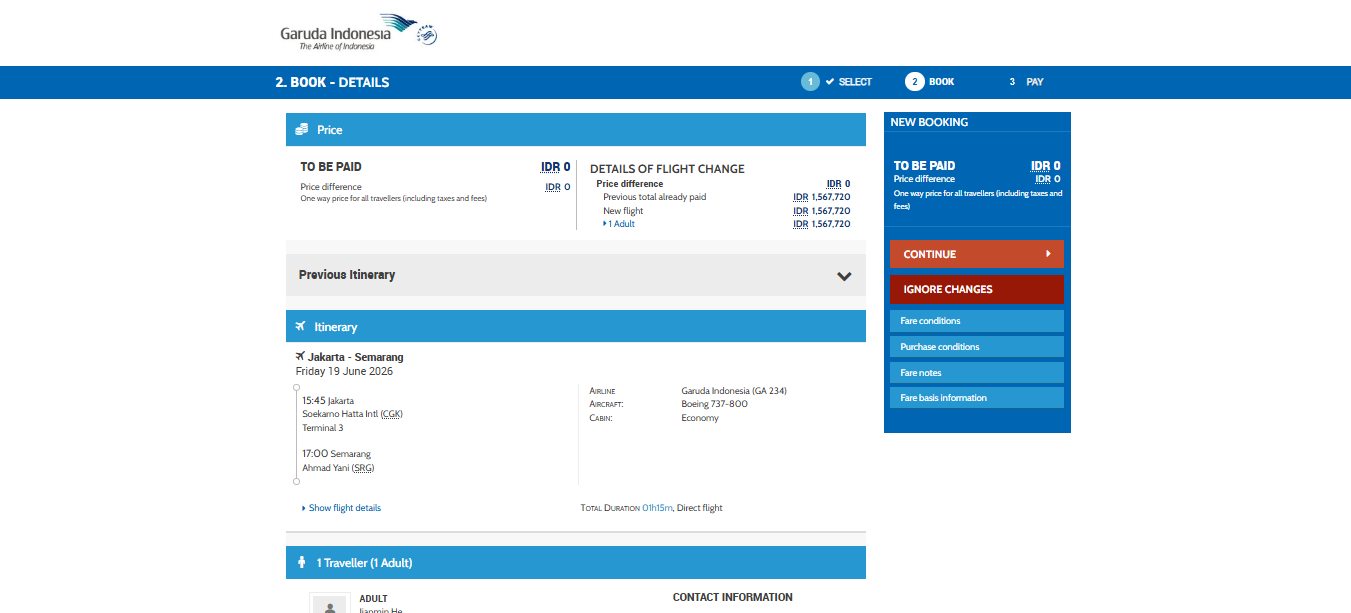
- Review the fare summary, as well as the flight details before and after the change. If everything is correct, click ‘Continue’.
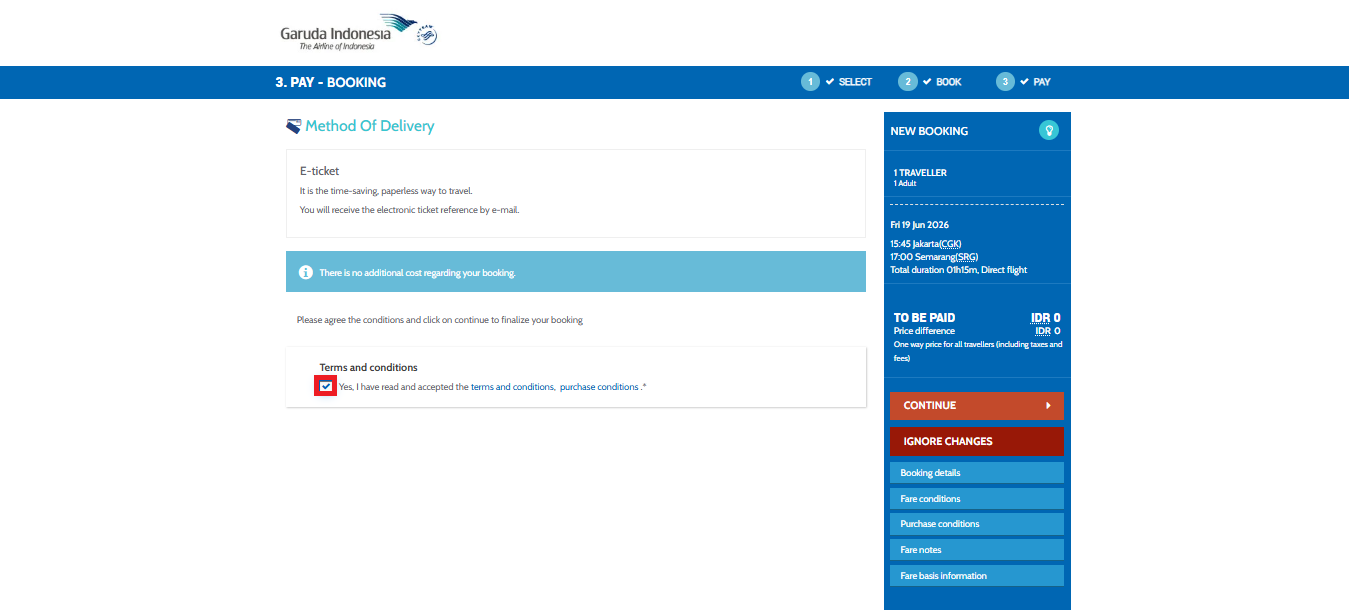
- On the next page, you can review the information regarding the e-ticket delivery method. Tick the ‘Terms and Conditions’ agreement checkbox, then click ‘Continue’ to proceed to the payment page.
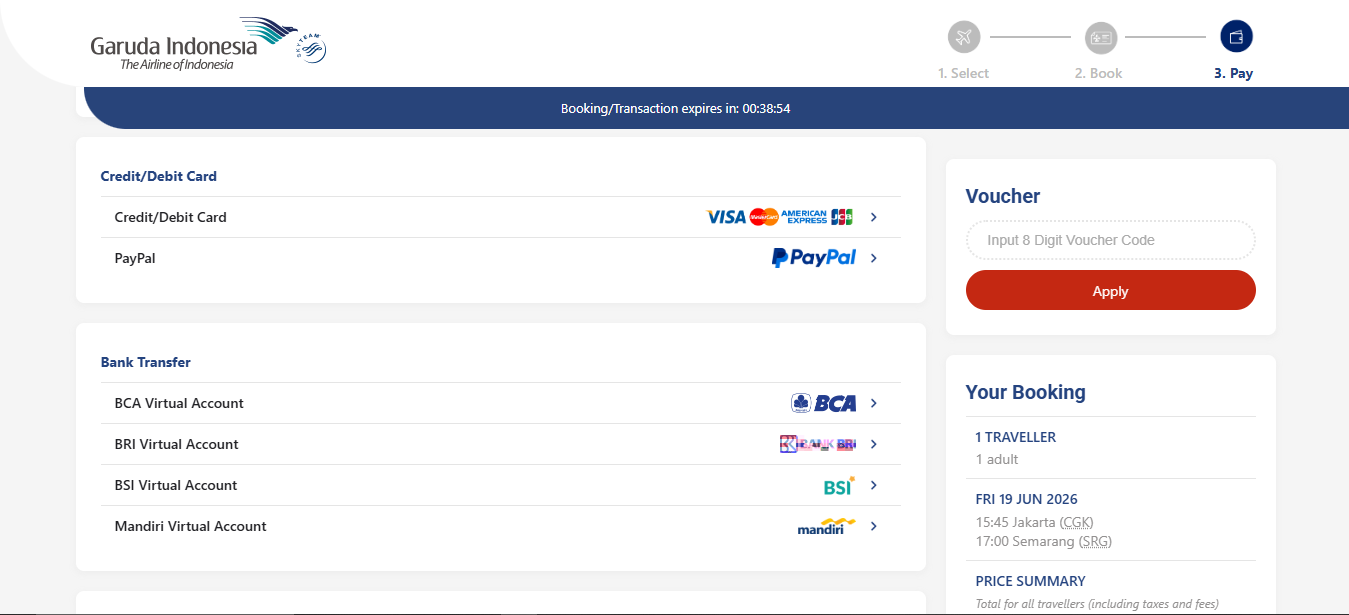
- On the final page, select your preferred payment method and complete the required payment details.
- After the payment is confirmed, information about your new itinerary will appear.
FlyGaruda
- Open the FlyGaruda Apps. Select the ‘My Trip’ menu, enter your booking code, last name, email address, and phone number, then click ‘Add Booking Code’.

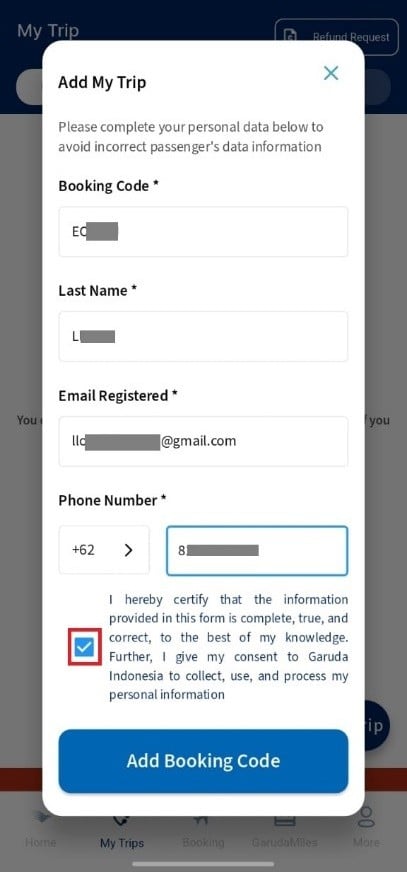
- Select the booking you wish to modify and click ‘Manage Booking’.

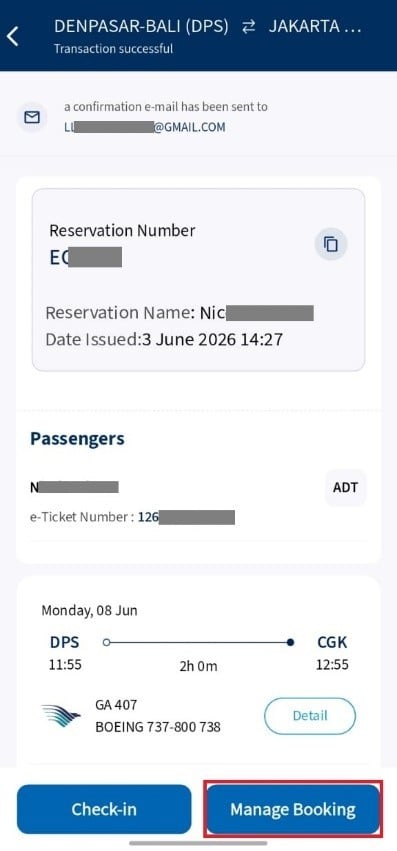
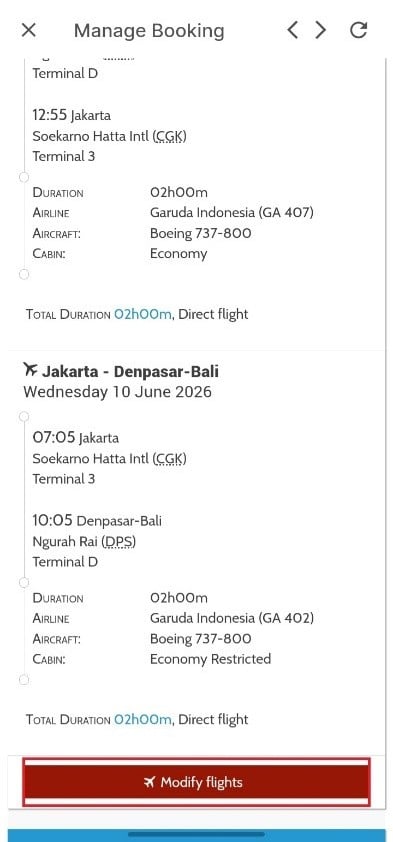
- You will be redirected to the booking confirmation page. Click ‘Modify Flight’ to change your flight schedule.

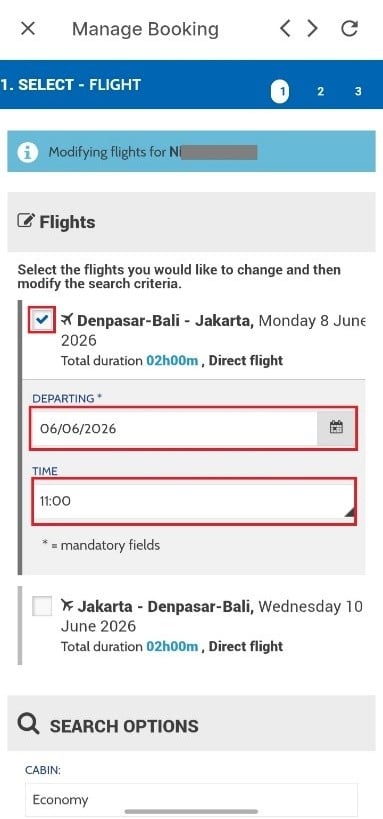
- Tick the flight you wish to modify, then enter your preferred new travel date and time, and click ‘Continue’.
- Select your preffered flight based on the available schedule, then click ‘Continue’.
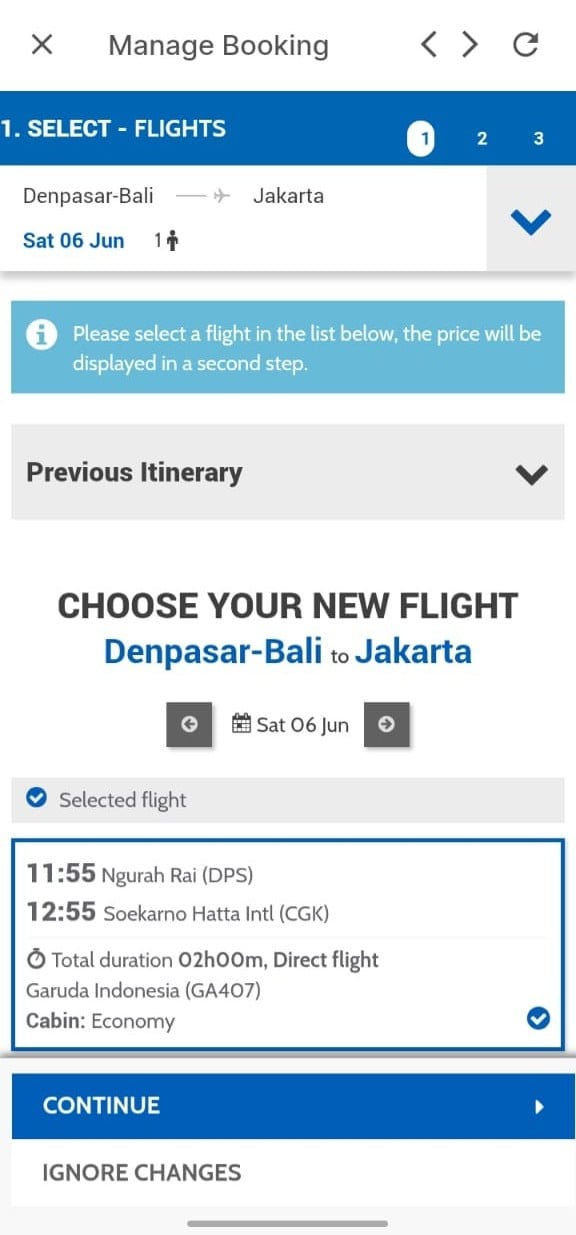
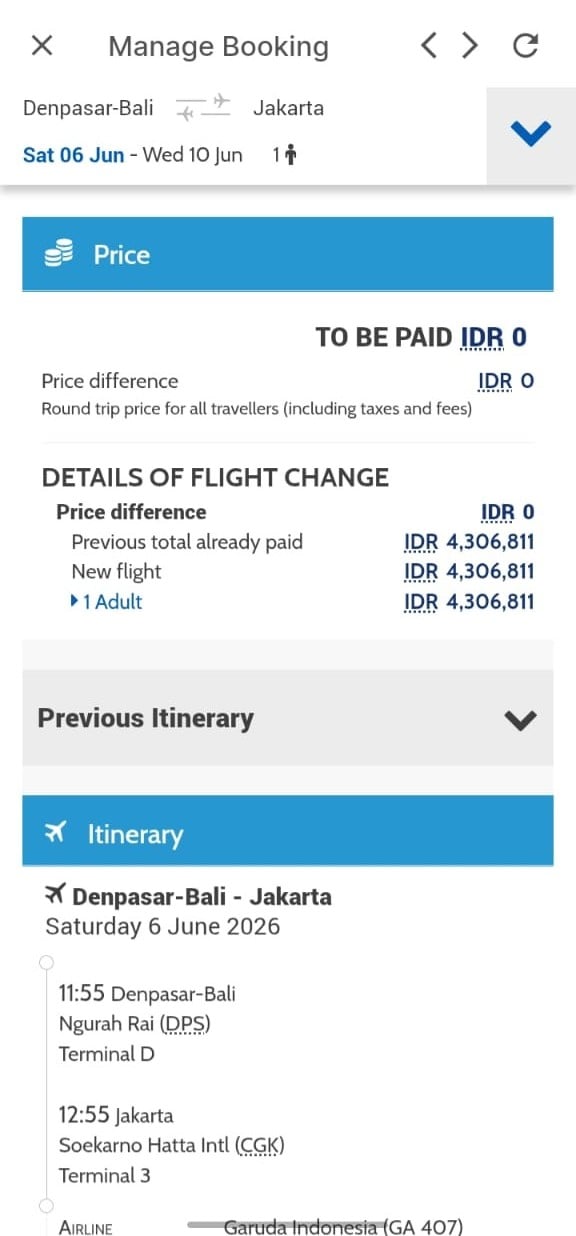
- Review the fare summary, as well as the flight details before and after the change. If everything is correct, click ‘Continue’.
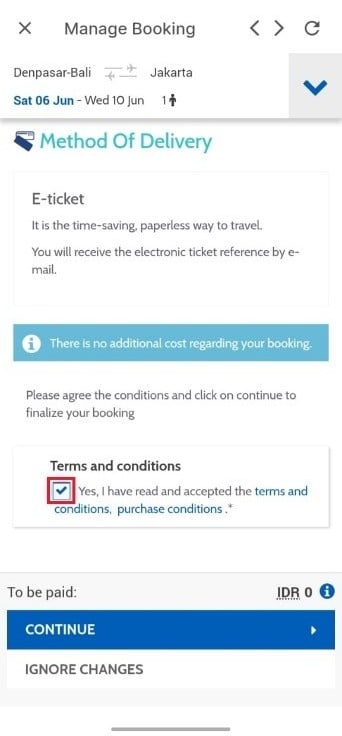
- On tne next page, you can review the information regarding the e-ticket delivery method. Tick the ‘Terms and Conditions’ agreement checkbox, then click ‘Continue’ to proceed to the payment page.
- On the final page, select your preffered payment method and complate the required payment details.
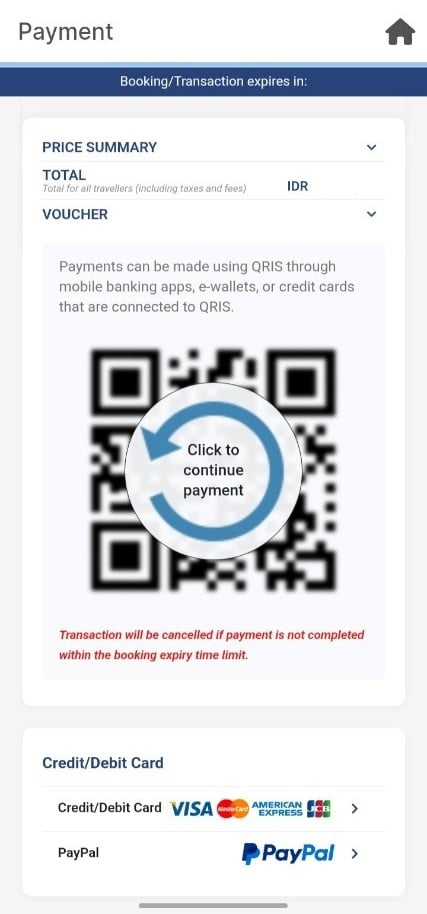
- After the payment is confirmed, information about your new itinerary will appear.
Enjoy your flight with Garuda Indonesia.